Custom Alerts are one of the most powerful features in Optionomics, allowing you to monitor option trades without being glued to your screen. This guide will teach you how to create alerts that match your exact trading strategy and filter out noise, so you only get notified of opportunities that matter to you.
What Are Custom Alerts?
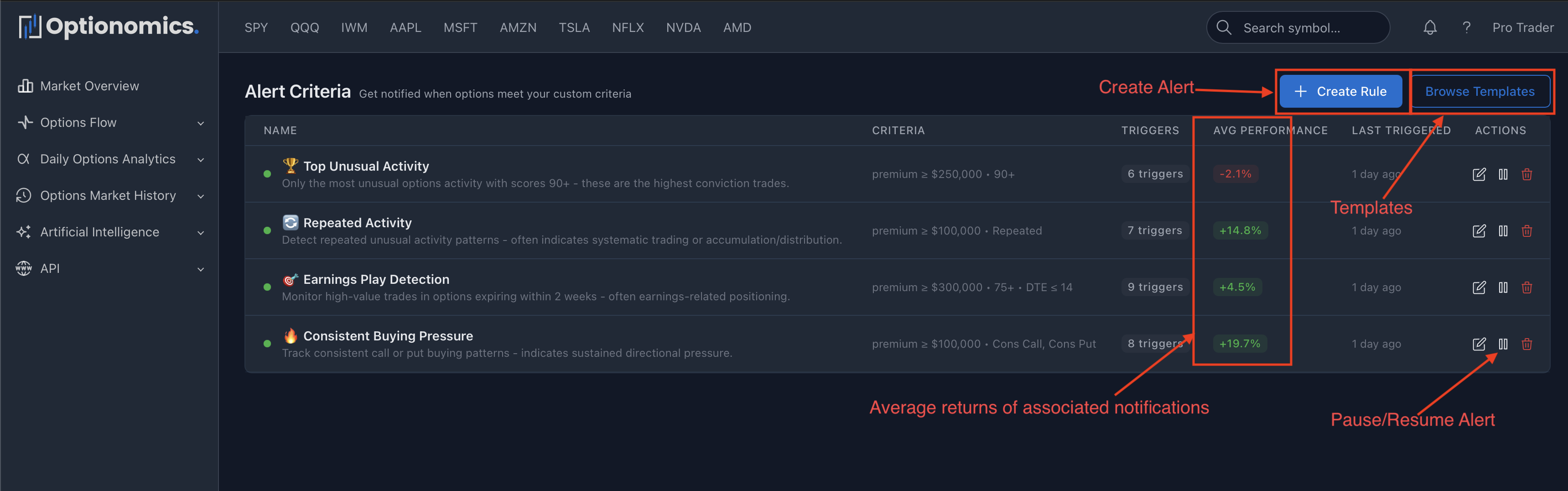
Custom Alerts automatically notify you when options trades match your specific criteria. Instead of watching thousands of trades all day, you define exactly what you’re looking for—and we’ll alert you the instant it happens.
How Custom Alerts Work
Here’s the flow:
- You Define Criteria: Set filters like “AAPL calls, premium ≥ $500K, aggressive buying”
- We Monitor Continuously: Every options trade is evaluated against your alert criteria
- Instant Matching: When a trade matches, we trigger your alert
- You Get Notified: Notification sent via your chosen channel (email, SMS, Slack, etc.)
- Smart Cooldowns: Alert goes into cooldown period to prevent spam
It’s that simple. Set it once, and forget it—until the opportunities you’re looking for hit the market.
Creating Alerts
To create a new alert from scratch, just click the “+ Create Alert” button and follow the on-screen guide. Creating an alert from scratch can be overwhelming, so we have created some alert templates you can use and customize to fit your needs.
Pro Tip: Start with email only. Add other channels once you’ve validated your alert criteria and understand your notification volume.
Notifications
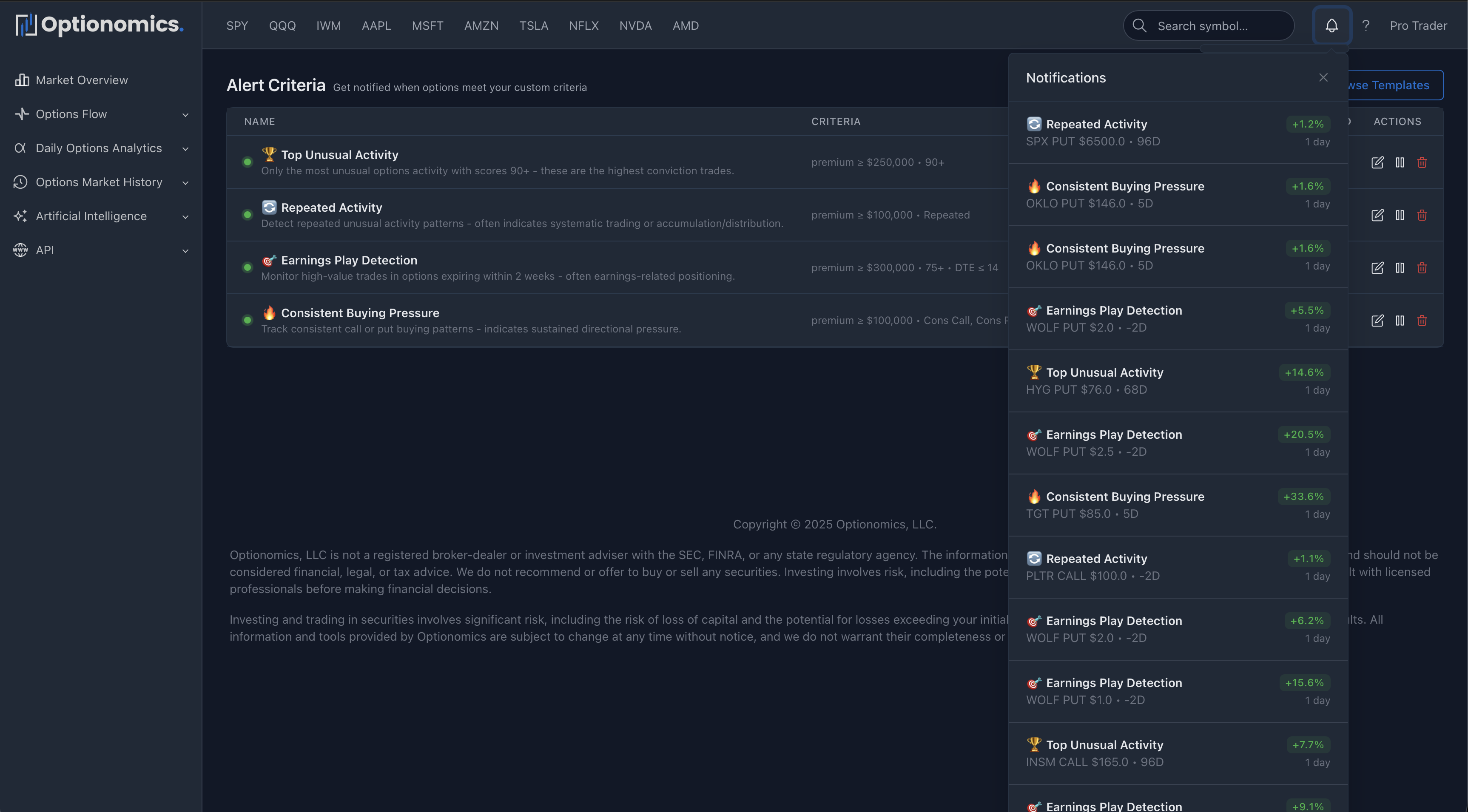
We continuously monitor your alerts and send notifications through your configured channels when they are triggered. You will always receive these notifications in the web interface.
Remember: Alerts are tools for opportunity identification, not trading signals. Always do your own analysis, consider market context, use proper risk management, and never act on alerts alone.
Last updated: October 2025
